
Document Options
Have large documents split into sections automatically so you can get to the content you are looking for faster.
Working efficiently with long documents
To make searching in long documents easier, you can have searchit split them automatically into shorter sections (document segments). In the search results, searchit then shows you only the sections that actually contain your search term. The size of the sections can be configured individually. By default, documents are split into 10-page sections, but this setting can be flexibly adapted to your needs.
Using the document options
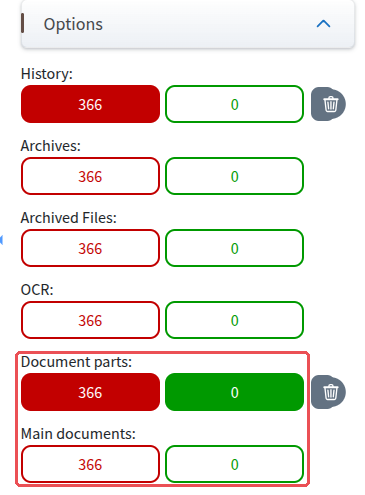
In the filter list on the right, under “Options” (see image below), you will find the buttons for switching the document options on and off. Each option shows two buttons: the red one counts the results without this property, the one with the green border the results with it.
Two options are responsible for long documents:
- “Document parts” (formerly “Dokumentsegmente”) → The red button shows the number of documents that are not split into sections (enabled by default); the one with the green border shows the number of sections for your search query.
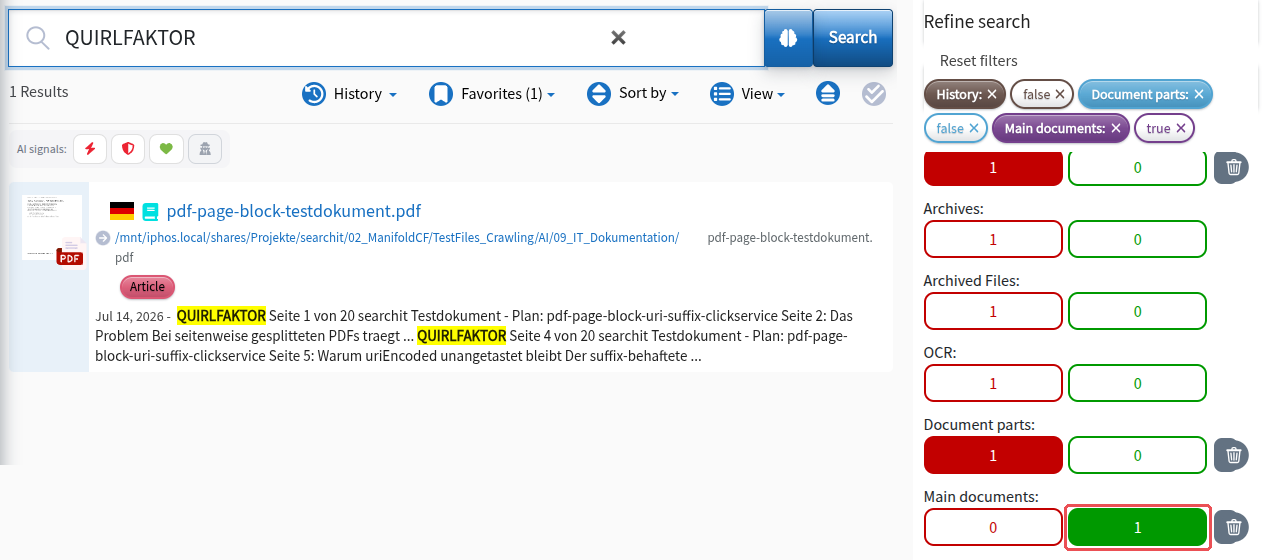
- “Main documents” (formerly “Hauptdokumente”) → The button with the green border shows the documents that were split into sections as a whole document.
Tip: Under “Document parts”, click the button with the green border to show only the sections that contain your search term.
Showing sections
![Green selected under “Abschnitte”: the result list shows the sections [1 - 10] and [11 - 20] of a document](/img/dokumentoptionen/abschnitte-an.png)
Showing the whole document
Showing the document preview
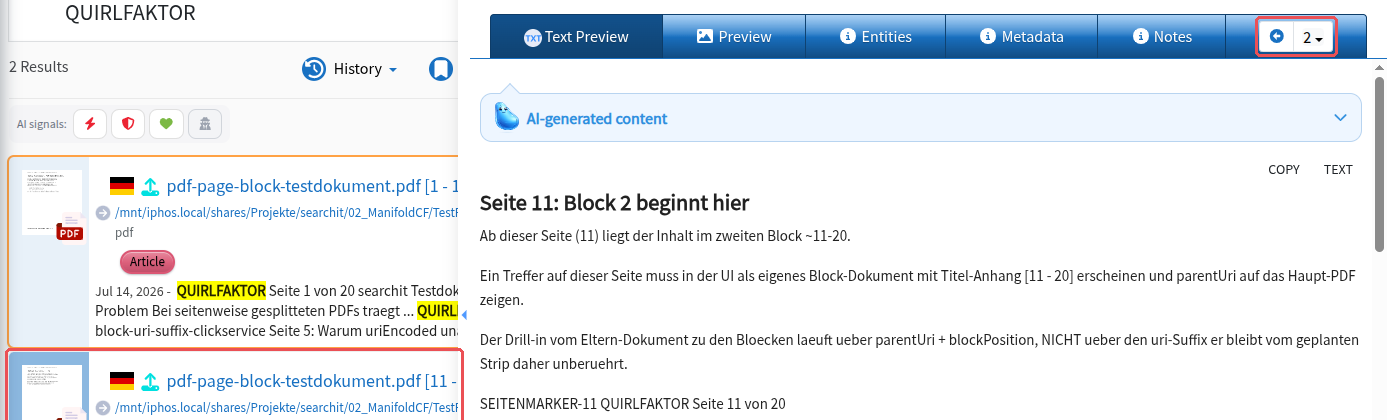
Clicking one of the search results takes you to the document preview. Your search term is highlighted in the text preview. With the arrow buttons  to the right of the tabs, you can also navigate back and forth between the individual 10-page sections of your document. The search result list also shows which section you are currently in.
Individual configuration
searchit can be adapted individually to your needs. The number of pages per section can be adjusted to your wishes when searchit is set up. Optionally, the document options can also be configured as default filters. Please contact our support for this.
Last updated on 21.09.2026